Search
Search Appearance & Social Cards
See your result and your card before anyone else
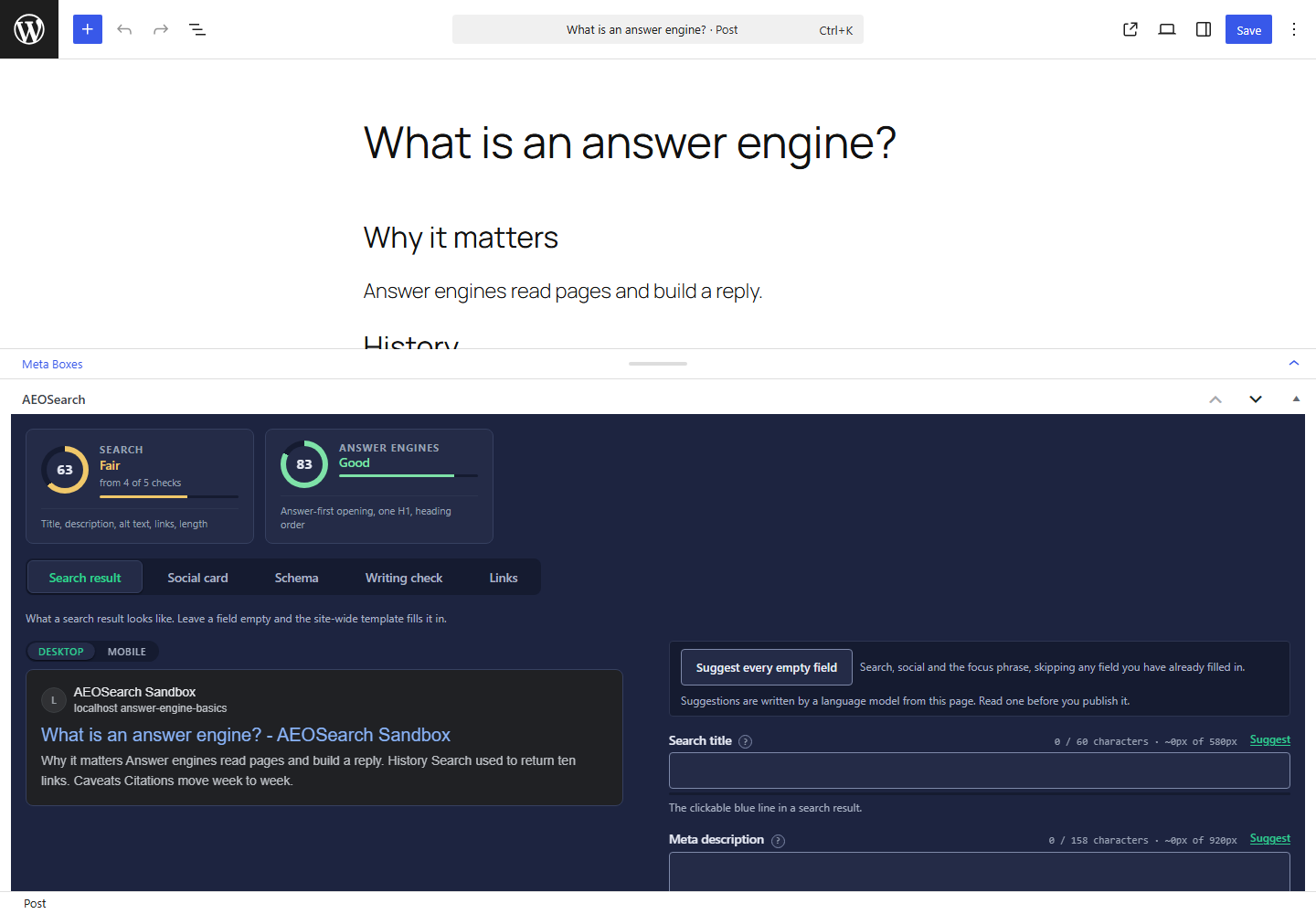
You've rewritten a title and still not known how it would look in the result, so the plugin shows you: the search result and the social card sit beside the fields as you type, with a character gauge and a Suggestions button on each. Every field says in one line what it changes on a result or a shared link. Archive, author, date, search and homepage templates cover the pages a single post can't, so nothing ships with a blank.
Suggestions write it, you approve it
Press Suggestions beside a search title, meta description, social title or social description, and our website AEOSearch.io sends that page's title, opening text and headings, with the tone you picked, to Google, whose language model writes the options. They aren't checked against your page, so read the one you pick before you publish it.
Every empty field in one click
"Suggest every empty field" covers search and social together and skips anything you already wrote yourself, so your own words are never overwritten.
Questions
Do Suggestions publish anything automatically?
No. They write into the field for you to read, and nothing saves until you save the post.
What does a Suggestions click send?
That page's title, the first 1,500 characters of its text, up to 20 of its headings and the tone you picked, relayed by AEOSearch to Google. Nothing else, and nothing until you click.
Install Free, Decide Later
Install free today and read your first answer